
What Is Digital Transfer Printing and How It Works
Digital transfer printing is a two-stage workflow where a design is printed onto a film or paper and then heat-transferred onto a substrate, with DTF being its fastest-growing apparel variant. The method separates image creation from garment decoration, giving a small shop a practical way to produce detailed, customized work without preparing a screen for every design.
You may be looking at a stack of PET film beside a heat press, with a rush order waiting on the other side of the room. Perhaps it's a team order, a handful of online-shop samples, or a customer asking for the same artwork on cotton, polyester, and a blend. The appeal is obvious: prepare the artwork digitally, make the transfer, and apply it when the garment is ready.
The less obvious part is that digital transfer printing isn't one single technique. Direct-to-Film, or DTF, is one branch of the category. Digital transfer paper, sublimation-style workflows, and other digitally produced transfers serve different substrates and production goals. Understanding that distinction helps you avoid buying equipment for the wrong kind of work.
This guide breaks down the process, compares DTF with DTG, screen printing, and heat transfer vinyl, and examines the economics behind consistent quality. It also addresses the production-stage sustainability trade-offs that introductory explanations often skip, then closes with applications, supplier checks, and practical buying guidance.
A Working Definition You Can Actually Use
A small apparel studio often starts with a simple scene. A printer is warming up, a roll of PET film is ready, and a heat press is waiting for a run of custom team shirts. The owner doesn't need a manufacturing lecture. They need to know what happens to the artwork between the computer screen and the finished shirt.
Digital transfer printing means printing an image onto an intermediate transfer medium, then using heat and pressure to bond that image to a final substrate. The transfer medium may be film or paper, while the substrate may be a T-shirt, hoodie, tote, ceramic item, promotional product, or another compatible surface.
The workflow has two distinct jobs:
- Digital image production: A printer places the artwork onto the transfer medium.
- Thermal application: A heat press activates the transfer layer so it bonds to the target material.
That separation matters. You can prepare transfers in advance, arrange multiple designs on a gang sheet, and apply them to different garments later. The method also supports full-color artwork without requiring a separate screen for each color.
DTF is a category within the category
DTF, or Direct-to-Film, is a specific digital transfer process for decorating textiles. It commonly uses PET film, CMYK ink, white ink, and a TPU hot-melt adhesive powder. The powder creates the bonding layer that allows the printed image to adhere to fabric during pressing.
It isn't the same thing as every digital transfer method. Digital transfer paper can serve hard goods and promotional products, while DTF is especially associated with apparel and flexible textile substrates. That distinction prevents a common buying mistake, where a shop chooses a garment-focused system for work that requires a ceramic, UV, or coated-surface transfer.
The underlying idea has a long history. Transfer-printing techniques emerged in the mid-18th century, and Birmingham engraver John Brooks filed the first patent application for the core concept in 1751, according to this history of transfer printing. In textile production, Noël de Plasse's sublimation experiments in 1957, followed by industrial adoption of Sublistatic by 1965, helped establish modern transfer printing before digital methods expanded into small runs and customization in the late 1990s.
How the Two-Stage Process Works in Practice
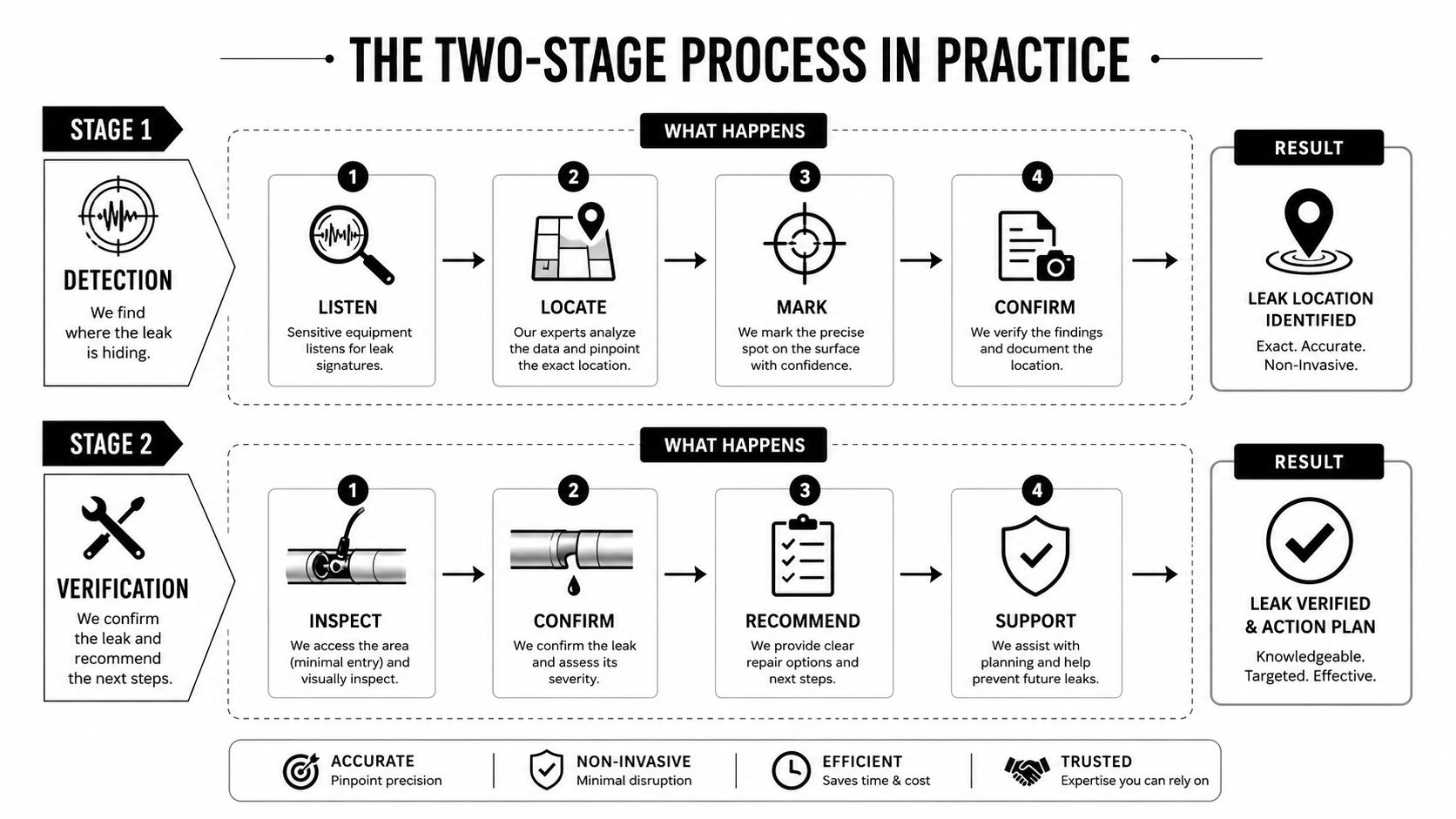
A shop can print a transfer in the morning and press it onto a garment later. That separation explains DTF's flexibility, but it also creates two quality checkpoints. Printer, film, powder, ink, and press settings all affect the result, so published process windows are starting points, not universal commands.
Stage one prints and builds the transfer
The shop first prepares the artwork in RIP software. The RIP separates printable channels and manages the white underbase, helping the design stay visible on dark fabric. The printer then places the color image and white ink onto PET film.
Printing and thermal application are separate operations. Research on the thermodynamics of digital transfer printing explains how heat, pressure, and dwell time influence color fidelity and adhesion. In production, that means a sharp file alone cannot guarantee a consistent garment. The transfer must also be cured and pressed within a workable process window.
While the ink remains wet, the film receives TPU hot-melt adhesive powder. Excess powder is removed before the film enters a curing or drying stage. According to WhiteCotton's DTF printing technique guide, adhesive cures at roughly 100 to 120°C, followed by garment pressing at about 160 to 170°C for 15 to 20 seconds under medium pressure. These settings help illustrate the sequence, while each shop still needs to test its own materials and equipment.
Stage two applies the finished transfer
After curing, the transfer is positioned with the printed side facing the garment. The heat press controls three parts of the bond:
- Heat: Softens the adhesive so it can attach to the textile.
- Pressure: Keeps the transfer in consistent contact with the garment.
- Dwell time: Gives the adhesive time to melt and bond.
After the press cycle, the film is peeled according to the transfer instructions. Some systems use hot peel, while others require cooling first. Peeling too early, too late, or at the wrong angle can lift edges. The defect may resemble an ink problem even though the application caused it.
A Direct-to-Film printing process guide provides a practical workflow reference. DTF generally avoids the fabric pre-treatment used by DTG, which supports work across cotton, polyester, and blends. Fabrics still behave differently. Texture, dye migration, stretch, and coatings affect the finished transfer, so test pressing protects consistency and helps reveal where production waste may occur.
Comparing DTF to DTG, Screen Printing, and Heat Transfer Vinyl
The best method depends on the same five questions every time: how much setup the order needs, how many pieces you're making, what fabric you're decorating, how complex the image is, and what the per-unit economics look like at the target volume.
| Method | Setup Cost | Best Run Size | Fabric Compatibility | Color Detail | Per-Unit Cost at 100 Units |
|---|---|---|---|---|---|
| DTF | Low to moderate digital setup | Short to mid runs | Cotton, polyester, and blends, subject to testing | Full-color detail | Usually higher than screen printing at volume |
| DTG | Moderate to high equipment and pre-treatment setup | Short runs | Strongest on cotton and cotton-rich garments | Excellent photographic detail | Often higher than screen printing |
| Screen printing | Higher setup because screens and separations are prepared | Long runs | Broad compatibility with suitable inks and garments | Strong for bold artwork and spot colors | Often the lowest at larger volume |
| HTV | Low entry setup | One-offs and personalized pieces | Depends on vinyl and garment | Strong for simple artwork, limited for gradients | Can rise with cutting and weeding labor |
DTF occupies the flexible middle. It handles full-color artwork, short runs, and mixed fabrics without the screen preparation required by traditional screen printing. It also avoids the fabric-specific pre-treatment demands that make DTG more dependent on garment composition and color.
DTG can deliver a softer hand because the ink is placed directly into the garment surface. It's particularly well suited to detailed artwork on cotton. Its workflow becomes more demanding on polyester and dark blends, where pre-treatment and curing need tighter control.
Screen printing remains the volume specialist. Once setup is complete, repeated impressions can become economical, especially for bold artwork and larger orders. Its setup makes it less attractive for one-off personalization, and changing names, numbers, or detailed full-color files can add complexity.
HTV offers the lowest barrier for many beginners. It works well for names, numbers, logos, and simple graphics. The bottleneck appears when an order needs gradients, photographic detail, or many individual elements that require cutting and weeding.
Practical rule: Choose DTF when artwork complexity and fabric variety matter more than achieving the lowest possible unit cost on a long run.
For a more detailed method comparison, use this guide to DTF versus DTG printing. If you're handling one-off names, numbers, or simple decorative designs, learning how to choose and use clothing decals can also help you decide when HTV or another decal format is more appropriate.
Benefits and Limitations for Small Apparel Runs
For a small shop, DTF's main advantage isn't a vague promise of speed. It's the ability to move from a digital file to a finished transfer without building a separate screen or committing to a large garment quantity. That makes it useful for samples, personalized orders, and designs whose demand hasn't been proven yet.
The same flexibility creates a quality-control burden. A shop can accept a small order quickly, but the result still depends on file preparation, white-ink consistency, powder coverage, curing, film behavior, and heat-press calibration. If one of those variables drifts, the owner may spend the savings from low setup on reprints and customer service.
The economics of consistency
The cost of a DTF order isn't only ink and film. It includes wasted transfers, failed applications, test garments, operator time, and the reputational cost of inconsistent color or adhesion. A repeat customer may tolerate a short delay once, but they won't build their purchasing schedule around a shop that delivers visibly different results from batch to batch.
Common failure points include:
- Artwork resolution: Soft or pixelated source files produce weak edges even when the printer is operating correctly.
- Powder coverage: Uneven adhesive leaves areas that bond poorly or create an unwanted texture.
- Press settings: Incorrect heat, pressure, or dwell time can cause lifting, scorching, or a stiff hand.
- Color management: Printer profiles and white-ink balance affect repeatability.
- Film variation: Different films can peel and release differently, even when the artwork is unchanged.
Where the method fits best
| Factor | Benefit | Limitation |
|---|---|---|
| Setup | Minimal screen preparation and flexible artwork changes | Digital equipment and maintenance still require skill |
| Order size | Strong fit for short and customized runs | Large runs can lose the unit-cost advantage |
| Fabric choice | Works across many textile types with testing | Dye migration and fabric texture can affect results |
| Artwork | Full-color detail without color-by-color screen setup | White ink and powder control affect edge quality |
| Production | Transfers can be prepared before garment pressing | Failed curing or pressing creates rework |
The broader category has become commercially significant. One market report valued the digital transfer printer market at USD 1.5 billion in 2022 and projected USD 2.6 billion by 2030, with a reported 7.5% CAGR from 2024 to 2030 in its digital transfer printer market analysis. Those figures point to sustained demand, but they don't remove the need for disciplined production control.
The Sustainability Trade-Off Most Guides Skip
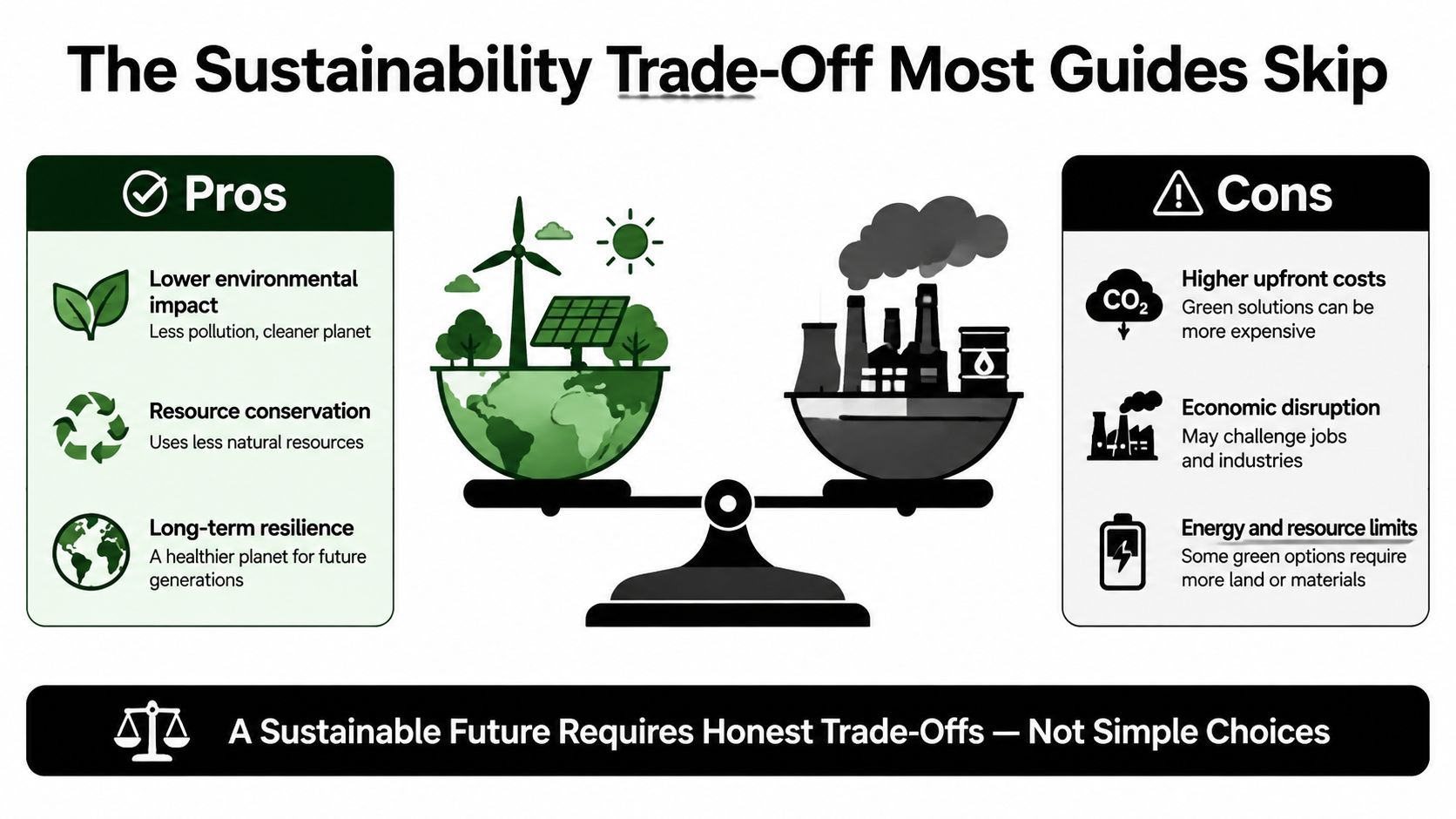
A small shop fulfilling orders as they arrive may avoid unsold garments, yet that does not make DTF automatically low-impact. Its production stage adds material and energy demands, and those demands matter more as order volume grows.
A typical DTF workflow uses disposable PET film, hot-melt adhesive powder, and curing energy, as described in this DTF sustainability analysis. The film carries the design through pressing, then usually becomes waste. Powder forms the bond, while excess powder and handling residue need controlled collection. Curing equipment and heat presses consume energy to bring the ink and adhesive into a bonding state.
Compare the whole workflow
The useful comparison is which inputs each process uses and what happens to them after production.
- DTF: Supports on-demand production and can reduce garment overproduction, but leaves PET film and adhesive waste.
- DTG: Prints directly onto the garment without carrier film, while still using ink, maintenance supplies, and garment preparation.
- Screen printing: Avoids plastic carrier film, but creates screen, stencil, ink, and cleanup waste.
- HTV: Can avoid liquid ink processes, though cutting and weeding produce vinyl offcuts.
A shop can make better choices by recording discarded film, failed transfers, powder handling, and energy use instead of trusting a broad “eco-friendly” label. Practical controls include gang-sheet planning, artwork checks before printing, correct curing, and suppliers that clearly describe their film and adhesive materials. For practical ways to cut film waste and energy use, see this guide to sustainable printing practices.
The aim is straightforward: reduce avoidable waste and choose the workflow that fits real customer demand. Quality consistency matters here too. A failed transfer consumes materials and production time, so reliable curing and pressing can improve both the finished garment and the shop's resource efficiency.
Common Applications in Apparel and Custom Printing
A community sports team may need numbered jerseys shortly before an event. DTF suits that order because each number and name can vary while the artwork remains detailed and the garments can include polyester performance fabric. HTV also handles personalization well, but complex full-color logos become more laborious as the design gains layers and detail.
An online seller might test a bridal-party design with a small batch of shirts. Photographic florals, gradients, and personalized names are natural DTF territory because the artwork can change from piece to piece without rebuilding screens. The seller can test demand before committing to a large inventory order.
Corporate merchandise creates a different challenge. A buyer may need the same brand artwork across cotton shirts, polyester polos, and blended garments. DTF offers a common transfer workflow across those materials, but the shop should still test each substrate because fabric texture, dye behavior, and stretch can change the finish.
Beyond the basic T-shirt
Digital transfers can also serve:
- Canvas tote bags: Check the fabric weave and use enough pressure for consistent contact.
- Denim patches: Test the surface thickness and confirm that the press can apply even pressure.
- Leatherette key fobs: Use a compatible transfer designed for the coating, not an apparel transfer by default.
- Polyester banners: Confirm heat tolerance and dye-migration behavior before accepting a larger order.
- Promotional hard goods: Choose digital transfer paper or a UV transfer process when the item isn't suitable for a textile adhesive.
The strongest fit is usually an order where customization, artwork detail, and fabric variety matter more than the lowest possible cost at high volume. A shop should treat every substrate as its own test category, even when the transfer appears to be the same.
Buying and Quality Checklist for Small Businesses
A supplier's attractive sample isn't enough. You need to know whether the same appearance will hold when the artwork changes, the garment color changes, or the order moves from a test piece to a production batch.
Start with the transfer itself. Ask about film construction, peel behavior, adhesive compatibility, and the printer profile used to produce the color. Hot-peel and cold-peel transfers aren't interchangeable, so your press operator needs clear instructions for when and how to remove the carrier.
Questions worth asking before you order
- Film specification: What film type does the supplier use, and is it compatible with your pressing workflow?
- Peel instruction: Should the transfer be peeled hot, warm, or cold?
- Ink information: Can the supplier explain the ink system and provide relevant textile-safety documentation?
- Color management: Does the supplier use a defined printer profile, and can they provide a color chart or sample swatch?
- Adhesive matching: Is the powder selected for the film and intended garment materials?
- Minimum order: Can you order a small test quantity before committing to repeat production?
- Application settings: Are heat, pressure, dwell time, and post-press instructions documented?
Be cautious when a vendor won't provide sample swatches, gives vague answers about ink origin, or promises an unusually rapid custom turnaround without explaining its approval and curing process. Fast fulfillment is useful only when the transfer arrives cured, accurately printed, and ready to apply.
The final test should happen in your own shop. Order three samples, apply them using the supplier's instructions, and run them through five wash cycles. Grade edge cracking, color shift, adhesion, and hand feel. Record the garment type, press temperature, dwell time, pressure setting, peel timing, and wash result so you can compare suppliers rather than relying on memory.
Where Digital Transfer Printing Is Headed Next
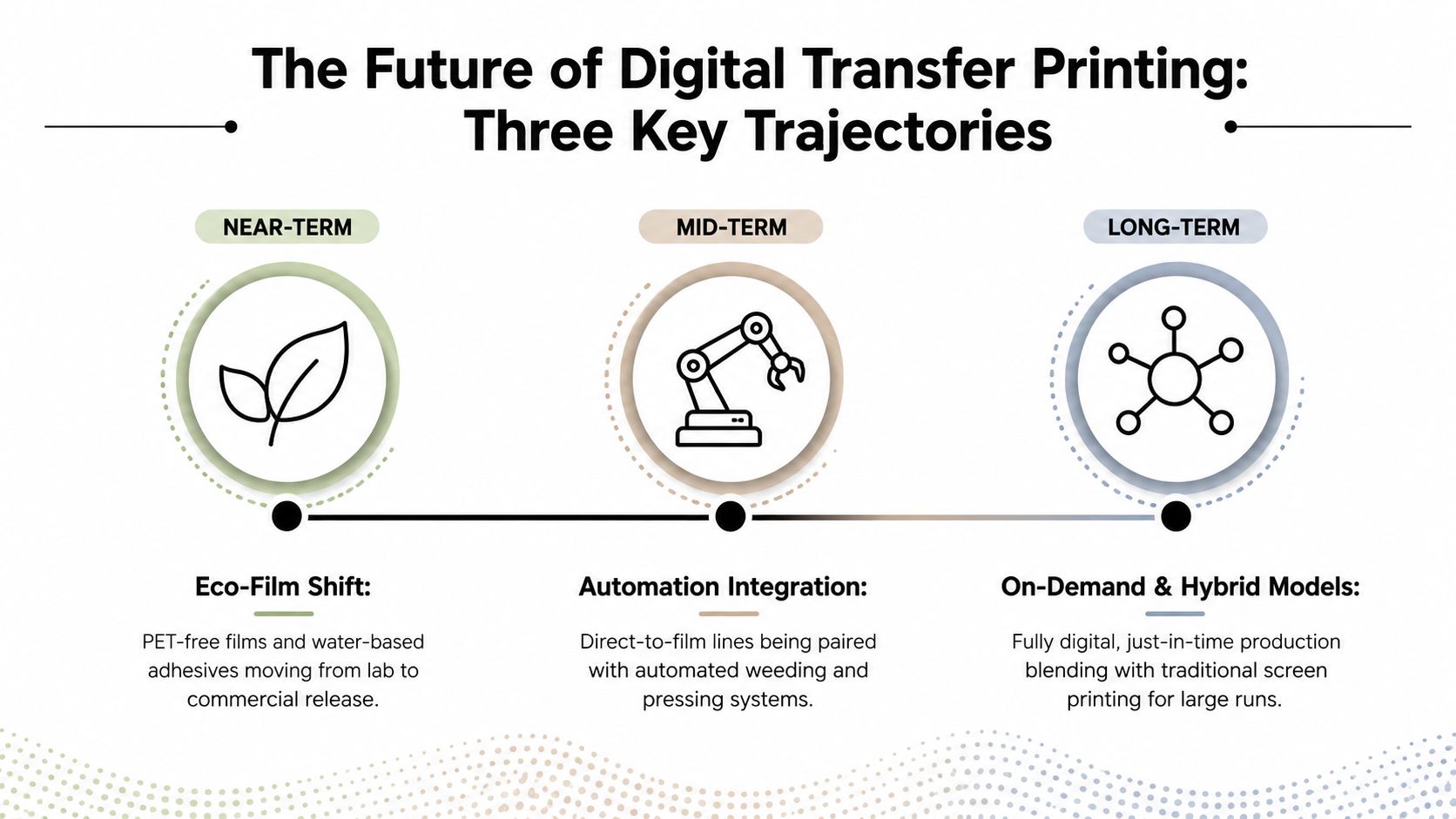
The next phase of digital transfer printing will be shaped by three practical pressures: material waste, production automation, and operator consistency. Suppliers are working toward transfer systems that use less problematic carrier material and adhesives, while equipment makers are combining printing, powder application, and curing into more connected workflows.
The commercial direction is also visible in market forecasts. A separate estimate placed the digital transfer media printers market at about USD 1.2 billion in 2024 and projected USD 2.5 billion by 2033, with a reported 8.9% CAGR from 2026 to 2033 in the same market research source. Those projections suggest continued demand across apparel, promotional products, textiles, and specialty printing, but a forecast is not a guarantee for any individual shop.
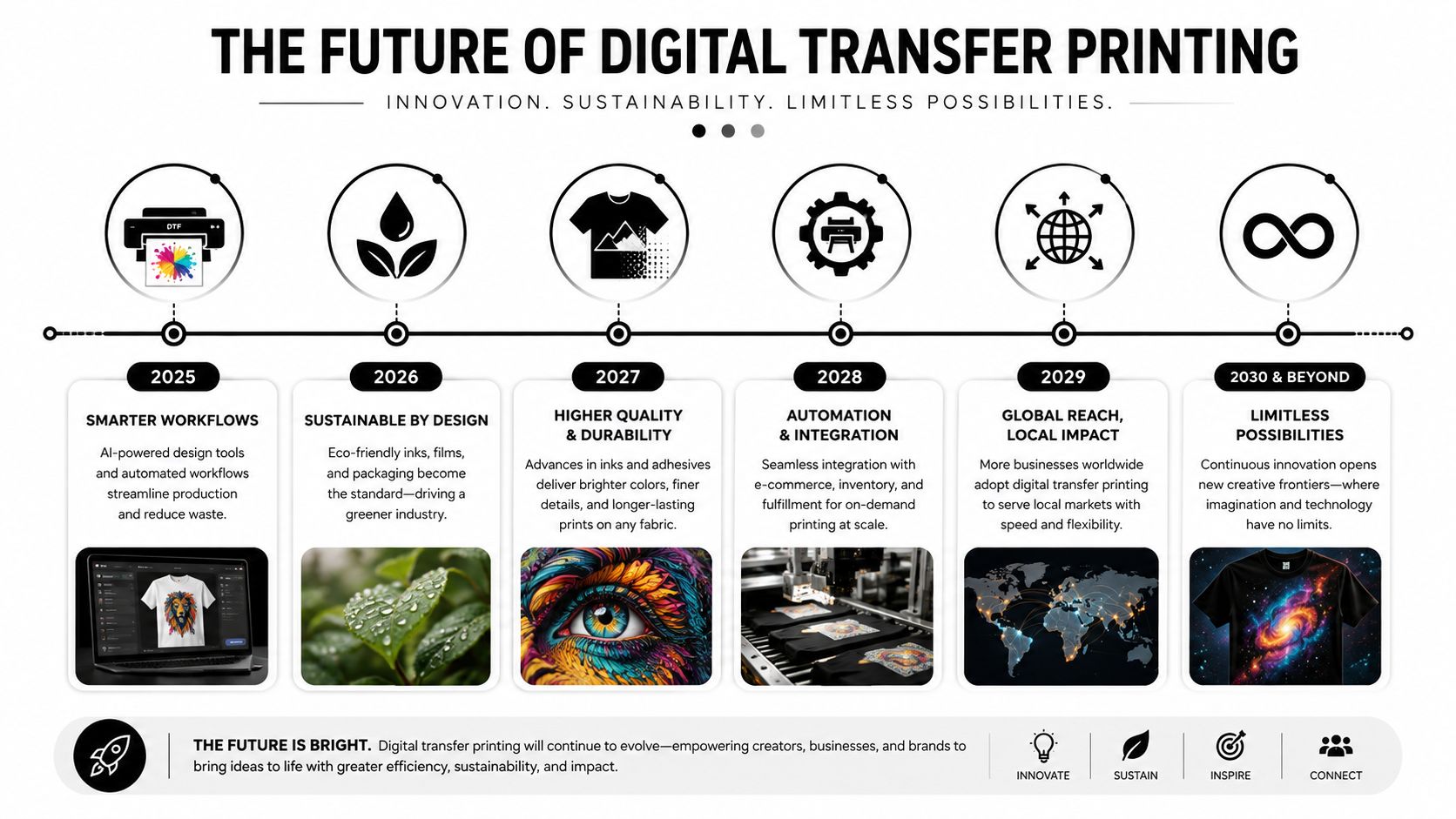
For a small business, the sensible response is to buy for control rather than novelty. Choose equipment and consumables with documented settings, accessible technical support, and a supply chain that won't force you into an untested film or powder. Keep sample records, maintain a repeatable press routine, and calculate failed-transfer costs alongside material costs.
DTF is a strong fit when your orders are customized, your artwork is detailed, and your customers use mixed fabrics. It's a weaker fit when a very large run demands the lowest possible unit price or when the customer expects the softest possible direct-to-fabric feel.
If you're evaluating digital transfer printing for your shop, Cobra DTF offers DTF gang-sheet building, size-specific transfers, and UV DTF options for suitable hard surfaces. Visit the site to review transfer formats and use your sample-testing checklist before committing to a production workflow.