
Print Shop Shirts: Methods, Fabrics and Costs Compared
You've got a customer who wants 12 shirts by Friday, full color on the front, names on the back, and they're bringing their own poly blend blanks. Another wants 300 one-color team shirts next month. If you price both jobs by the same per-shirt number, you'll lose money on one of them. Print shop shirts aren't decided by print quality alone. They're decided by order size, setup, fabric, and what a reprint costs you when something goes wrong.
Print Methods Compared at a Glance
Start with order size first, then artwork, then fabric. That order decides most jobs before price enters the conversation. A method that looks cheap for 300 identical shirts can be the most expensive way to print 12 different ones, and a method that's perfect for a photo on cotton can fail on the polyester blank the customer already bought.
How to Read This Table
Find the row that matches your order size. Check that the artwork and fabric columns agree with it. Only then compare prices, because a low quote on the wrong method buys you pretreatment problems, peeling transfers, or setup fees spread over too few shirts.
| Method | Best order size | Artwork fit | Fabric fit | Main limit |
|---|---|---|---|---|
| Screen printing | 24 or more shirts of one design | Few spot colors, bold graphics | Cotton and poly, most blanks | Setup per color makes small runs costly |
| DTG (direct-to-garment) | 1 to about 50 shirts | Full-color photos and gradients | Mainly 100% cotton, light colors | Pretreatment needed; dark shirts cost more |
| DTF (direct-to-film) | 1 to several hundred shirts | Full color, gradients, mixed designs on one sheet | Cotton, poly, blends and many blanks | Transfer feel can be heavier than ink |
| Heat transfer vinyl | 1 to about 100 shirts | Single-color names, numbers, simple logos | Most fabrics that tolerate heat | Limited colors; weeding time per design |
Say a youth team needs 12 shirts with a full-color photo on a poly blend. Screen printing means multiple screens for a tiny run. DTG struggles because the blank isn't mainly cotton. DTF fits because it handles full color, mixed sizes, and blends without a screen per color. I would quote DTF and add the names to the same gang sheet instead of cutting vinyl separately.
Now flip it. A league orders 300 shirts with a one-color chest logo. Screen printing wins easily. One screen, fast press time once you're running, and the setup cost disappears across 300 units. Printing those one by one on DTG would tie up a machine for no quality gain the customer can see.
Practical rule: If the design changes shirt to shirt, favor DTG or DTF. If the design stays identical and the count climbs, favor screen printing.
Heat transfer vinyl still earns its place for names, numbers, and simple one-color logos, especially when each shirt is different. Don't sell it for detailed multicolor art. You'll spend the margin weeding tiny pieces and layering colors that should've been printed.
How Each Print Method Works and Where It Fits
Shirts work as a print product because the blank became standardized long before your shop touched it. The Promotional Products Association International history of custom T-shirts notes union-suit-style garments in Utica, New York, in 1868, a commercially marketed T-shirt from Cooper Underwear Company in 1904 as a "bachelor undershirt," and U.S. Navy adoption in 1913. After World War II, veterans wore them as outerwear, Tropix Togs later licensed Walt Disney characters, and custom T-shirt printing was valued at approximately $3.64 billion and projected to reach about $6.9 billion by 2027. That standardized, collarless blank is why one shop can serve teams, events, and small brands from the same shelf.
Four Methods in Plain Terms
Screen printing is a stencil pushed through mesh, one stencil per color. Setup is heavy, the run is fast, and the ink sits in the fabric with strong wash durability. It's right for a bold two-color logo on 200 event shirts. It's wrong for six shirts with a gradient. A direct comparison of silk screen printing versus heat transfer helps if you're weighing stencil setup against a pressed transfer for the same job.
DTG is an inkjet printer for garments. It sprays ink directly onto the shirt, so photos and gradients need no separations. The hand feel is soft because there's no film on top. The catch is fabric and pretreatment, especially on dark cotton where a white underbase and pretreat step affect both cost and consistency.
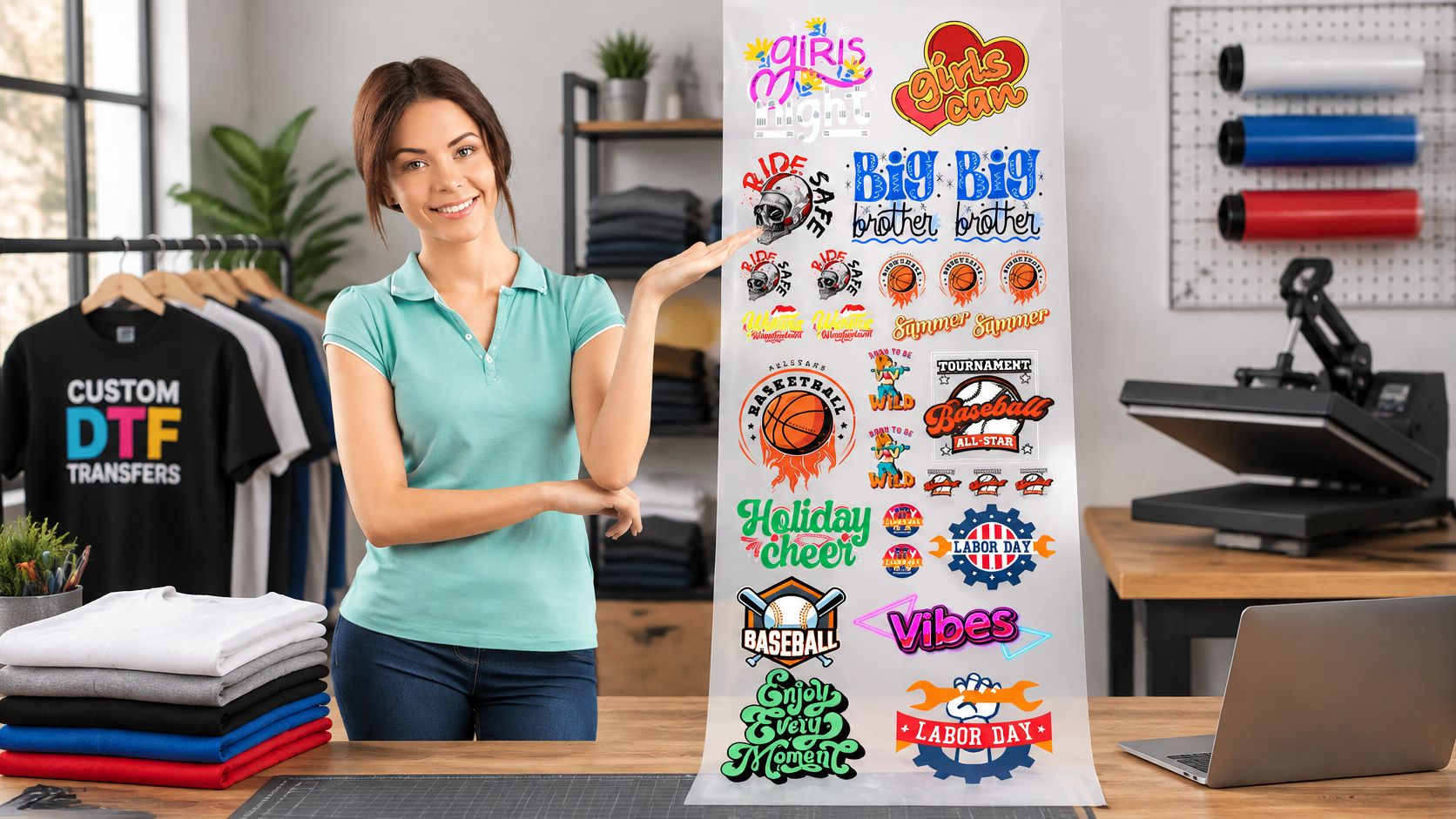
DTF prints onto film first, then you add powder, cure it, and press it onto the garment. One sheet can hold a chest logo, a sleeve hit, and three different customer designs. That's why shops with print-ready files use a service like DTF Transfers Upload Your Gang Sheet, which accepts a pre-laid-out gang sheet and moves it to production without reformatting. The buyer notices slightly more surface feel than DTG, but gains fabric flexibility.
Heat transfer vinyl is a cut shape pressed on. Think lettering cut from a sheet, weeded by hand, and applied with heat. It's crisp for a name and number, and the edge is noticeable under your hand. For a broader view of decoration choices beyond shirts, Simply Merchandise printing options is a useful reference for how shops present method choices to customers.
Choosing the Fabric and Blank Before You Print
A customer who locks in a performance poly shirt has already ruled out reliable DTG, whether they know it or not. Fabric narrows the method, so choose the blank first. Weight, fiber, and surface texture decide adhesion, press temperature, and how fine the detail can stay after a wash. The comparison of cotton versus polyester for printing covers the core trade-off. Your own wash test on the exact blank still matters more than any general guide, because a reprint on the wrong fiber wipes out a cheap unit price.
| Fabric | Print methods that hold up | Watch for |
|---|---|---|
| 100% cotton | Screen printing, DTG, DTF, heat transfer vinyl | Shrinks before pressing; ink soaks in on screen prints |
| 100% polyester | Sublimation, DTF on light blanks, screen printing with suitable ink | Lower press temperature needed; DTG usually poor |
| Cotton-poly blend (50/50 or 60/40) | DTF, screen printing, heat transfer vinyl | Pretreat for DTG; press temperature must suit the poly content |
| Tri-blend | Screen printing, DTF with a soft film | Textured surface breaks up fine detail |
| Performance poly | DTF, screen printing with low-cure ink | Adhesion can weaken with heat and moisture; run a wash test |
Where Each Fabric Fails
Cotton is forgiving, but it shrinks and absorbs ink, so colors can look less punchy than the proof unless you account for soak-in. Polyester holds bright sublimation color on light blanks, yet it scorches or shines if the press runs too hot. The recommended press temperature is 300°F / 150°C, or 275°F for 100% polyester fabric, with parchment paper or a protective sheet between the heat plate and the transfer.
A team orders a 60/40 blend with a small left-chest logo and a names line on the back. DTF puts both placements on one sheet and one temperature. Screen printing needs separate setups for a short run, so setup cost lands on every shirt. Vinyl handles the names, then adds weeding minutes you have to price in. I'd press the whole job as DTF and keep one temperature for the blend. Fabric fit and reprint risk beat a slightly softer hand feel on this order.
Build a sourcing routine and don't skip it for a new blank:
- Press the actual shirt: Use the blank you will sell, not a similar one from the shelf.
- Pre-wash and press: Wash once, press a test transfer, then wash again and check the edges.
- Check the weight: Note grams per square metre so a substitute blank doesn't change hand feel mid-order.
What a Small Order Really Costs Per Shirt
Take a quote for 24 DTF shirts. Judge it by total cost per order: setup, reprints, and whether the fabric holds the print. Transfer A is cheaper per sheet, ships slowly, and one in ten presses lifts at the corner. Transfer B costs more per sheet, arrives on a predictable schedule, and presses clean. Add two replacement blanks, the labor to repress, and reshipping to Transfer A. I would book Transfer B. The invoice line is higher, and the finished order still costs less.
Screen printing follows the same volume curve. The Printful history of the T-shirt places a one-color order at roughly $4.50 per shirt for 24 units, falling to approximately $1.50 per shirt at 500 units, with setup charges of about $25 to $40 per color. A four-color design was estimated at around $8.25 per shirt for smaller quantities and about $3.40 at higher volume.
| Scenario | Per-shirt cost | Notes |
|---|---|---|
| One color, 24 shirts | about $4.50 | Setup of about $25 to $40 per color |
| One color, 500 shirts | about $1.50 | Setup spread across many more units |
| Four colors, smaller quantity | about $8.25 | More screens and setup per design |
| Four colors, higher volume | about $3.40 | Setup cost spread across the run |
Build Your Break-Even Inputs
Copy these into a sheet for every quote: print area, garment cost, transfer or ink cost, labor minutes, packaging, shipping, payment fees, defect rate, and target gross margin. Then split two numbers customers mix up. The customer-facing price is what they pay. Contribution margin is what remains after the blank, print, labor, fees, and expected reprints. A job can clear the quoted price and still lose money on margin.
Short runs make that split decide the method. A Dataintelo custom screen printing market report reports that 67% of new independent apparel brands launched in 2025 used on-demand printing, with typical order cycles of 50 to 500 units per design. Buyers ask at what quantity each method pays off.
A slightly higher-priced domestic transfer can win on total cost if it cuts reprints, customs delays, and refunds.
Price the defect rate you run. Quote 24 shirts as 24 perfect presses and the first misaligned shirt comes straight out of margin. The same total-cost habit applies outside shirts, which is why custom stole budgeting tips from Stoles.com® stress total order cost over headline unit price for custom textile products.
Ordering Checklist for Files, Sizes and Quantities
Most bad orders start as bad paperwork, not bad printing. Run every job through the shop in this order and you'll catch the expensive errors while they're still free to fix.
The Nine Checks Before Production
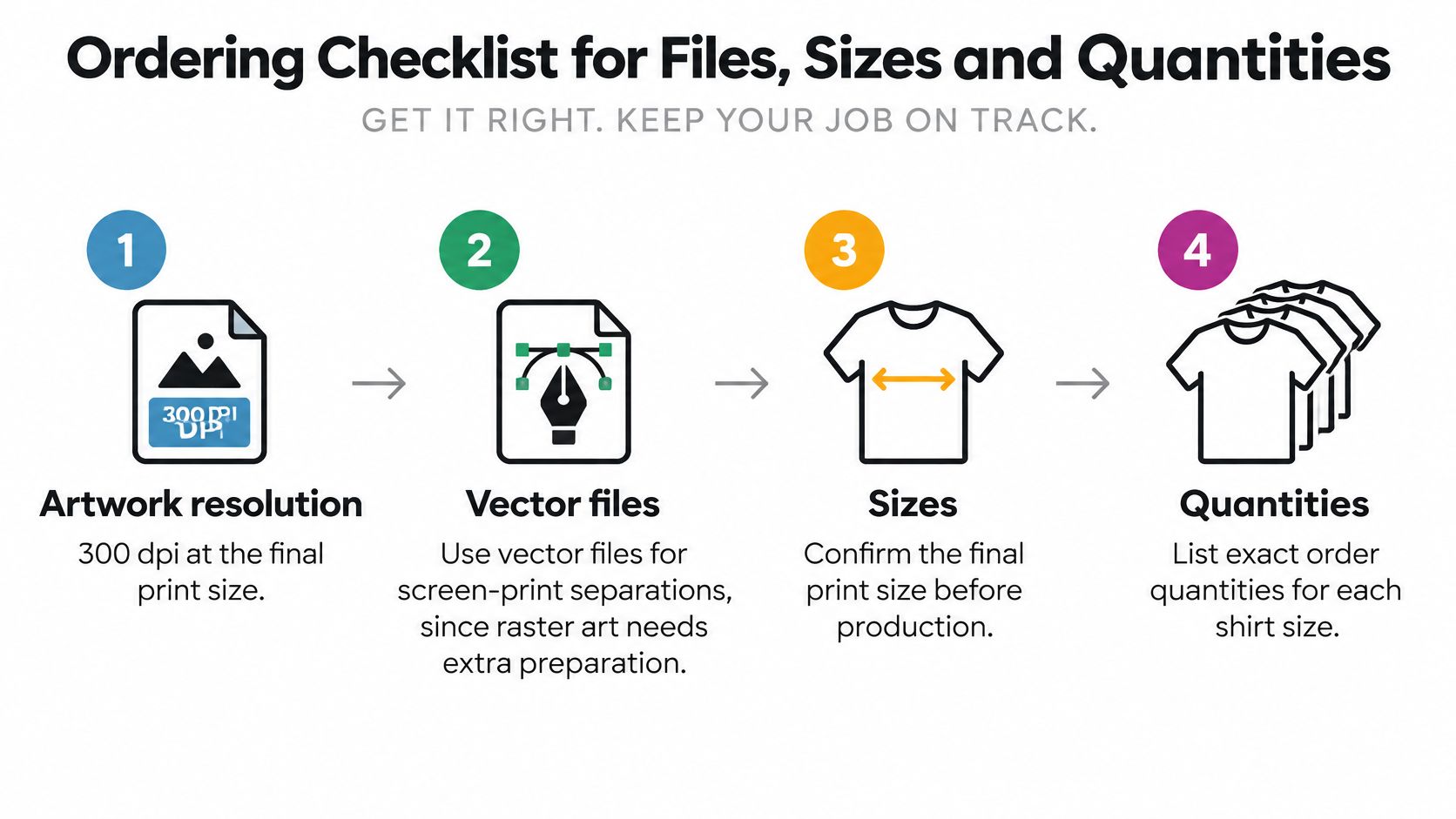
- Artwork resolution: Supply art at 300 dpi at the final print size. A logo that looks sharp on a phone can print soft at 11 inches wide.
- Vector files for screen printing: Separations need clean vector art. Raster art often needs rebuilding, and that time belongs in the quote.
- Transparent PNG for DTF and DTG: A white box baked into the file will print as a white box. Check the background before you send it.
- Print area and placement: State front, back, and sleeve sizes in writing and check them against the method's maximum. "Large on the front" isn't a spec.
- Garment color: Dark shirts need pretreatment for DTG or a white underbase for transfers and screen prints. That changes cost and hand feel.
- Size run: List each size and color by quantity in a grid. Totals alone hide the mistake until packing.
- Spare count: Add a few spare pieces for spoilage on any job with a hard deadline. Reordering two blanks overnight costs more than two spares today.
- Proof approval: Sign off on a digital proof, and press a physical sample on a new blank or fabric. Our prepress team emails the customer if it flags low resolution, an incorrect color profile, or an overlapping or off-canvas gang sheet layout, and the same-day shipping clock starts only once we hold a print-ready, approved order.
- Returns terms: Read them before you order, not after. Our returns are accepted within 14 days of delivery only for items confirmed as defective, misprinted, or fulfilled in error by the business, including print quality issues, color reproduction errors, transfer film defects, or the wrong item shipped. Returns aren't accepted for customer-side ordering errors such as the wrong file, size, color, or quantity. To start one, email info@cobradtf.com with the order number and clear photographs of the issue so the prepress team can review and confirm eligibility.
Send files and specs in one written document so you and the buyer work from the same record. If it's only in a phone call, it doesn't exist when the box is opened.
Sustainability Claims You Can and Cannot Make
Eco-friendly is a claim, not a print method. Calling a shirt sustainable because you used water-based ink or printed it digitally skips the garment itself, how long the print lasts, and what happens in the wash. A 2025 assessment of textile marine microplastic impacts reported that marine-microplastic impacts from textiles were in the same order of magnitude as impacts from marine eutrophication. Fiber composition, durability, washing, packaging, overproduction, and disposal all belong in the conversation, not just ink type.
Sort every claim you want to make into three piles:
- Supplier documents can verify: Ink composition, fiber content, and care label details. We use eco-friendly inks, and that's a specific statement you can document rather than a general promise about the whole garment.
- Lifecycle evidence is required: Any claim that one method has lower total impact than another for a given order. You need more than a supplier brochure for that.
- Never advertise without proof: Biodegradable, zero-impact, or plastic-free. If you can't produce the evidence, don't print it on the product page.
Made-to-order production has one honest benefit you can state plainly. Printing after the sale reduces unsold inventory that gets discounted or discarded. That doesn't make the shirt impact free, and sustainability can't be inferred from "digital," "DTF," or "made in the USA" alone. Our overview of sustainable printing practices goes deeper on process choices.
Use a safe wording pattern instead. State the verified ink type and the fiber content, add wash instructions that protect the print, and skip the general eco claim. A durable print on a shirt that gets worn for years beats a vague green label on one that cracks by spring.
Choose Your Print Method and Blank for Your Next Order
Take your next real order and run it through this sequence before you quote it. Don't start with the method you already own or the transfer that's on sale.
Five Decisions in Order
- Sort by size: Under about 25 full-color shirts points to DTG or DTF. At 24 or more of one design with few colors, screen printing deserves the first quote.
- Pick the blank: Match fiber to method using the fabric limits, then lock one standard blank per job type so you're not retesting every week.
- Run the numbers: Price your top three recurring jobs with garment, print, labor minutes, packaging, shipping, fees, defect rate, and margin. Quote from contribution margin, not habit.
- Sample and wash-test: Press one, wash it the way your customer will, and check corners, color, and hand feel before the full run.
- Lock the specs: Put file, sizes, placements, quantities, and proof approval in one written document both sides keep.
For print shops, I'd keep one reliable method per job size rather than offering everything. One short-run full-color route, one bulk spot-color route, and a standard blank for each will beat a menu you can't run profitably. For resellers, buy from a supplier that accepts print-ready files and states its returns policy in writing, because your customer will hold you to the delivery date regardless of who's at fault upstream.
Check the purchase terms before you buy, too. Purchases are intended for personal use or for application onto apparel, garments, or other merchandise the buyer produces for sale. Those aren't interchangeable if a design license or resale term is involved.
Cobra DTF is a Texas-based DTF transfer maker, and its Upload Your Gang Sheet service is intended for designers, print shops, and businesses that have print-ready artwork. That fits shops that already lay out their own sheets and want production without reformatting. Orders placed before 1 PM CT ship the same day, subject to the file being print-ready and approved.
Final rule: Pick the method your order size supports, then price it on total cost.
Run that test on the next quote on your desk this week. You'll find at least one job you're printing the expensive way out of habit.
If your artwork is already print-ready, Cobra DTF lets you upload a finished gang sheet that goes straight to production with no reformatting or adjustments, which keeps short-run and mixed-design shirt orders moving without extra back and forth. Visit Cobra DTF to lay out your next sheet, check it in live preview before checkout, and press transfers that fit the blank and order size you've just costed.