

How to Choose a Printer for Small Business: Your 2026 Guide
The usual way this goes is simple. A small business buys the cheapest printer that looks “good enough,” then spends the next few months fighting clogged heads, slow output, expensive cartridges, and missed turnaround promises. The other common path isn't much better. Everything gets outsourced, margins get squeezed, and rush jobs become stressful because your schedule depends on someone else's production line.
That's why learning how to choose a printer for small business isn't really about shopping for a machine. It's about deciding how you want your business to run when orders stack up, a customer needs a same-day sample, or you suddenly need to print more than plain office paperwork. For apparel brands, Etsy sellers, promo shops, and product businesses, that decision touches fulfillment, cash flow, quality control, and customer experience.
A printer can be a productive asset. It can also become a drain that eats supplies, labor, and patience. The difference usually comes down to whether you bought for your actual workflow or for a sales brochure.
Your Guide to a Smart Printer Investment
The bad purchase usually starts with a tempting price tag. You see a compact printer online, the reviews sound decent, and the specs seem close enough. A few weeks later, you realize “close enough” doesn't mean much when orders come in batches, labels need to look clean, and every interruption pulls you away from selling.
In a custom apparel or product business, the printer decision sits in a bigger system. You're not just buying hardware. You're deciding whether to keep work in-house, outsource part of it, or run a hybrid setup that protects your cash and gives you room to grow.
The question behind the printer question
Before you compare brands, ask this: what problem is the printer solving?
For some shops, it's internal paperwork, packing slips, invoices, tags, labels, and occasional promo inserts. For others, it's part of production itself. Those are very different jobs, and they justify very different equipment.
Practical rule: If the printer doesn't remove a real bottleneck, it's not an investment. It's another machine to maintain.
That matters even more when cash is tight. If you're weighing whether to buy equipment now or preserve working capital, it helps to understand the financing side before you commit. This guide on how businesses can earn commissions in equipment financing is useful because it frames equipment as a business decision, not just a purchase.
What actually works
The shops that make smart printer decisions usually do three things well:
- They buy for current demand first. They don't start with oversized equipment they can't keep busy.
- They separate must-haves from nice-to-haves. Color accuracy, media handling, and support matter more than flashy extras.
- They leave themselves an escape valve. When capacity gets tight, they can outsource overflow instead of forcing one machine to do every job.
That last point gets ignored in most buying guides. It shouldn't. For many small businesses, the smartest move isn't “buy the biggest printer you can afford.” It's buying the right-sized machine for day-to-day work and keeping a reliable fulfillment option in reserve for larger runs or specialized output.
Start with Your Business Needs Not Printer Specs
Monday at 9:10 a.m., orders are piling up, the courier cutoff is noon, and the printer is jammed again on label stock it was never meant to run. That is how a cheap buying decision turns into a production problem.
For a small business selling custom apparel, product inserts, tags, or branded packaging, printer choice starts with workflow. A spec sheet will not tell you whether the machine fits the way your shop earns money. It also will not tell you whether buying a printer makes sense at all, or whether part of the work should stay outsourced through a fulfillment partner such as Cobra DTF until order volume is steady.
Build a job description for the printer
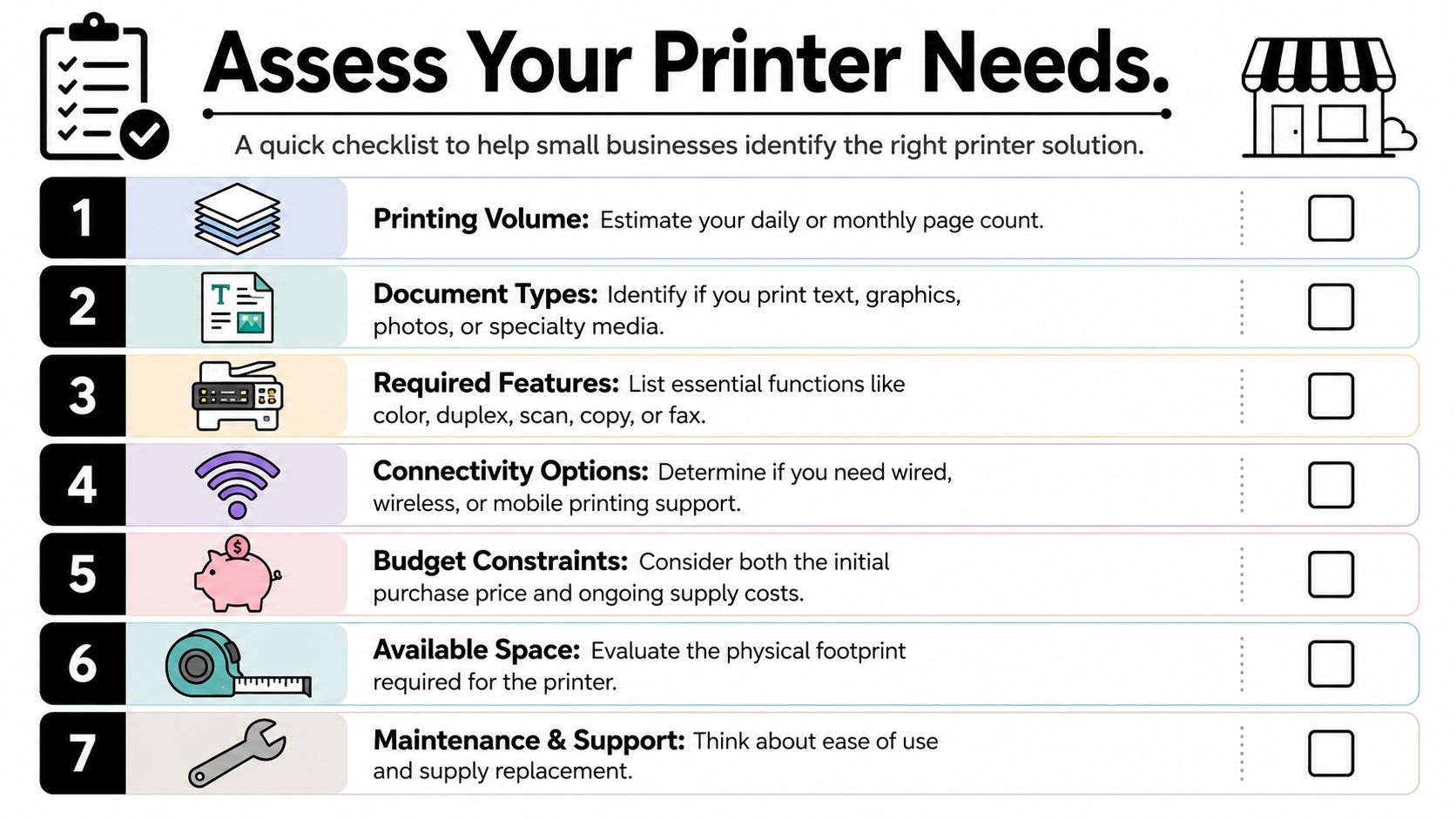
Start with the jobs, not the machine. Printing invoices and shipping labels is one category. Producing transfer output, hang tags, sample sheets, promo cards, or packaging components is another. A shop that sells decorated apparel usually needs to decide between handling more production in-house or keeping certain work outside. If you are still weighing print methods, this comparison of DTF vs DTG printing for growing apparel businesses helps clarify where each approach fits.
Write down what the printer must handle in a normal week:
- Volume: Pull actual counts for packing slips, labels, invoices, inserts, tags, and any production-related prints.
- Output type: Separate office documents from customer-facing materials and production output.
- Color use: Identify where color affects sales or brand presentation, and where black-and-white is enough.
- Media: List every stock you plan to run, including plain paper, cardstock, labels, transfer media, sticker sheets, or specialty papers used for packaging tests such as printing on greaseproof paper.
- Turnaround: Note which items need same-day printing and which ones can wait.
- Required functions: Duplexing, scanning, copying, ADF, Ethernet, Wi-Fi, and label compatibility all change what will work.
- Shop conditions: Confirm space, power, heat, noise, and ventilation before you buy.
That short exercise rules out a lot of bad options fast.
Duty cycle matters more than the headline features
Owners new to print equipment often focus on print speed, touchscreen size, or sale price. I would look at duty cycle first.
The duty cycle is the manufacturer's estimate of how much work the machine can handle in a month before wear becomes a real problem. Abadan Trading's guide to choosing the best printer for small business points to monthly page volume as a key buying factor, and that matches what happens in small shops. A machine pushed past its comfort zone usually does not fail all at once. It starts with feeding issues, inconsistent print quality, service calls, and missed deadlines.
That matters even more in apparel and product businesses because the printer may sit in the middle of fulfillment. If it fails, shipping slows down, inserts do not get printed, and sample approval can stall.
Match the machine to your normal week
A printer should cover your usual workload without spending the rest of the month idle. For many small businesses, a machine in the 20 to 30 page-per-minute range is enough for daily admin work, labels, and light marketing materials. Faster units can make sense, but only if the workload is there to justify the higher purchase price and consumable costs.
Features need the same filter. Automatic duplex printing can cut paper use for multi-page internal documents, manuals, and packing materials. Brother notes in its business printer feature guide that duplex printing helps reduce paper consumption and paper costs because it prints on both sides of the page, which is the practical reason many shops treat it as a money-saving feature rather than a convenience feature alone: Brother business printer features and benefits.
A good rule is simple. If staff wait on the printer every day, capacity is too low. If you bought a production-heavy machine for occasional office use, you tied up cash that could have gone into blanks, marketing, or outsourcing overflow.
A simple self-audit
Answer these before you shop:
- What do we print every day that keeps orders moving?
- What do we print only during rush periods or launches?
- Which printed items directly affect customer experience?
- Which jobs should stay outsourced even if we buy equipment?
- If this machine is down for two days, what stops immediately?
Those answers usually narrow the decision faster than any feature comparison. They also force the core question. Do you need a printer, or do you need reliable output with less risk? For plenty of new apparel brands, the smartest first move is a smaller in-house setup for admin and packaging work, then using a fulfillment partner for transfer production until demand justifies more hardware.
Decoding Printer Tech DTF DTG Sublimation and More
Once your workload is clear, the next step is choosing the right production method. For apparel and product businesses, this matters more than brand names. A good machine paired with the wrong print method still creates headaches.
Some shops need flexibility across garment types. Others care most about hand feel, color on cotton, or hard goods. There isn't one “best” technology. There's only the best fit for the kind of jobs you plan to sell.
What each method is good at
Here's the practical comparison I'd use if I were helping a new shop narrow the field.
| Technology | Best For | Initial Cost | Cost Per Print | Pros | Cons |
|---|---|---|---|---|---|
| DTF | Mixed garment types, dark and light fabrics, varied order sizes | Moderate to high | Varies by workflow and transfer sourcing | Flexible across fabric types, strong color, good for gang sheets and small runs | Requires transfer workflow and heat application |
| DTG | Cotton-focused apparel with soft feel | High | Varies by pretreatment and ink use | Excellent for detailed art on cotton, soft hand on suitable garments | Less flexible across fabric types, more finicky workflow |
| Sublimation | Polyester garments and hard goods with coating | Moderate | Often efficient on the right blanks | Bright output, great for mugs and poly apparel, no hand feel on proper substrate | Limited by substrate requirements, poor fit for many dark garments |
| HTV | Names, numbers, simple graphics, low-volume customization | Low to moderate | Can be manageable for simple designs | Easy entry point, good for personalization, low startup barrier | Labor heavy, not ideal for complex multi-color production |
| Screen printing | Larger runs and repeat designs | Moderate to high, depending on setup | Strong on volume | Excellent for bulk production, durable output | Setup time, space, and labor make short runs less efficient |
Don't overlook media flexibility
Most apparel-focused conversations stop at shirts. That's a mistake if you also print tags, labels, inserts, promo cards, or packaging components.
A key but often overlooked factor is media flexibility. The verified data notes that technologies like solid ink can maintain 98% color accuracy across over 20 media types, from cardstock to vinyl, which matters for businesses that need more than garment output according to this discussion on media flexibility for non-standard printing.
That doesn't mean every small shop should go buy a solid ink machine. It means you should think beyond the shirt itself. If your brand experience includes hang tags, thank-you cards, custom labels, or specialty inserts, the best setup may involve more than one print solution.
Where new businesses usually choose wrong
The most common mismatch is buying around a niche use case and then discovering your actual order mix is broader.
- Choose DTF when you need flexibility across garment types and colors.
- Choose DTG when cotton apparel is the center of the business and print feel matters most.
- Choose sublimation when your product line is built around polyester and coated hard goods.
- Choose HTV if personalization is the offer and volumes stay modest.
- Choose screen printing when repeat bulk orders are the primary profit center.
If you're comparing garment-focused methods side by side, Cobra DTF has a useful breakdown of DTF vs DTG printing that helps frame where each process fits.
And if your business branches into packaging or food-adjacent branded materials, it's worth learning how specialty stock behaves. This practical guide to printing on greaseproof paper is a good example of the kind of substrate-specific knowledge that keeps you from assuming every printer handles every material well.
The more products you plan to sell, the less useful a one-trick machine becomes.
The Real Cost Unpacking Total Cost of Ownership
The purchase price is the part everyone sees. The expensive part is everything attached to it after the box is opened.
That's Total Cost of Ownership, or TCO. It includes consumables, maintenance, repair risk, energy use, and the waste that comes from learning curves and failed output. For many small shops, the “cheap” printer often becomes the costly one.
Why sticker price fools people
A common pitfall in printer selection is ignoring TCO, which often exceeds the initial hardware price by 200 to 300% over the device's lifespan, and over 70% of small businesses report unexpected budget overruns due to consumable costs alone according to Fisher's Technology's guide to choosing the right multifunction printer.
That's the cheap printer trap in one sentence. Owners save money on day one, then lose it through cartridges, service calls, and wasted production.
The hidden costs under the surface
Use this list when comparing machines:
- Consumables: Toner, ink, transfer film, powder, pretreatment, cleaning fluid, and other recurring inputs.
- Cost per page or print: If you can't estimate this, you can't price jobs confidently.
- Maintenance: Scheduled service, replacement parts, and time spent cleaning or calibrating.
- Energy use: Faster or heavier-duty equipment can cost more to operate over time.
- Waste: Misprints, test runs, setup sheets, and ruined media during training.
- Software: RIP software, subscriptions, and workstation requirements.
The easiest financial filter is to calculate the machine's running cost before you buy it. If one option is cheaper upfront but needs more expensive supplies, you'll feel that every month.
A simple worksheet for comparing two options
Use a plain worksheet like this:
| Cost item | Printer A | Printer B |
|---|---|---|
| Purchase price | Fill in | Fill in |
| Cartridge or toner replacement cost | Fill in | Fill in |
| Expected page or print yield | Fill in | Fill in |
| Estimated monthly output | Fill in | Fill in |
| Service or maintenance cost | Fill in | Fill in |
| Energy and support costs | Fill in | Fill in |
| Estimated annual total | Fill in | Fill in |
If taxes or capital purchases matter to your budgeting, it can also help to review how business equipment may fit into write-off planning. This explainer on asset write-off eligibility for tradies gives a practical example of how operators think about equipment timing and deductions.
For garment decorators specifically, Cobra DTF has a useful reference on DTF printing cost per shirt, which is the kind of operational math more buyers should do before purchasing equipment.
A printer is affordable only if you can afford to feed it, maintain it, and keep it working during busy weeks.
Test Before You Invest A Guide to Quality Validation
A printer looks good in a demo room. Its true test begins after the first rush order, when you are matching approved artwork, pressing onto the actual garment, and hoping the second run looks like the first. That is where expensive mistakes show up.
Never approve a machine from a polished sample photo or a single showroom print. Get physical samples on the exact products you plan to sell, then test them the way your customers and staff will handle them. For custom apparel and product businesses, this step also answers a bigger question. Do you need to own the equipment, or would a fulfillment partner such as Cobra DTF handle your current volume with less risk?
Start with samples that match your actual jobs
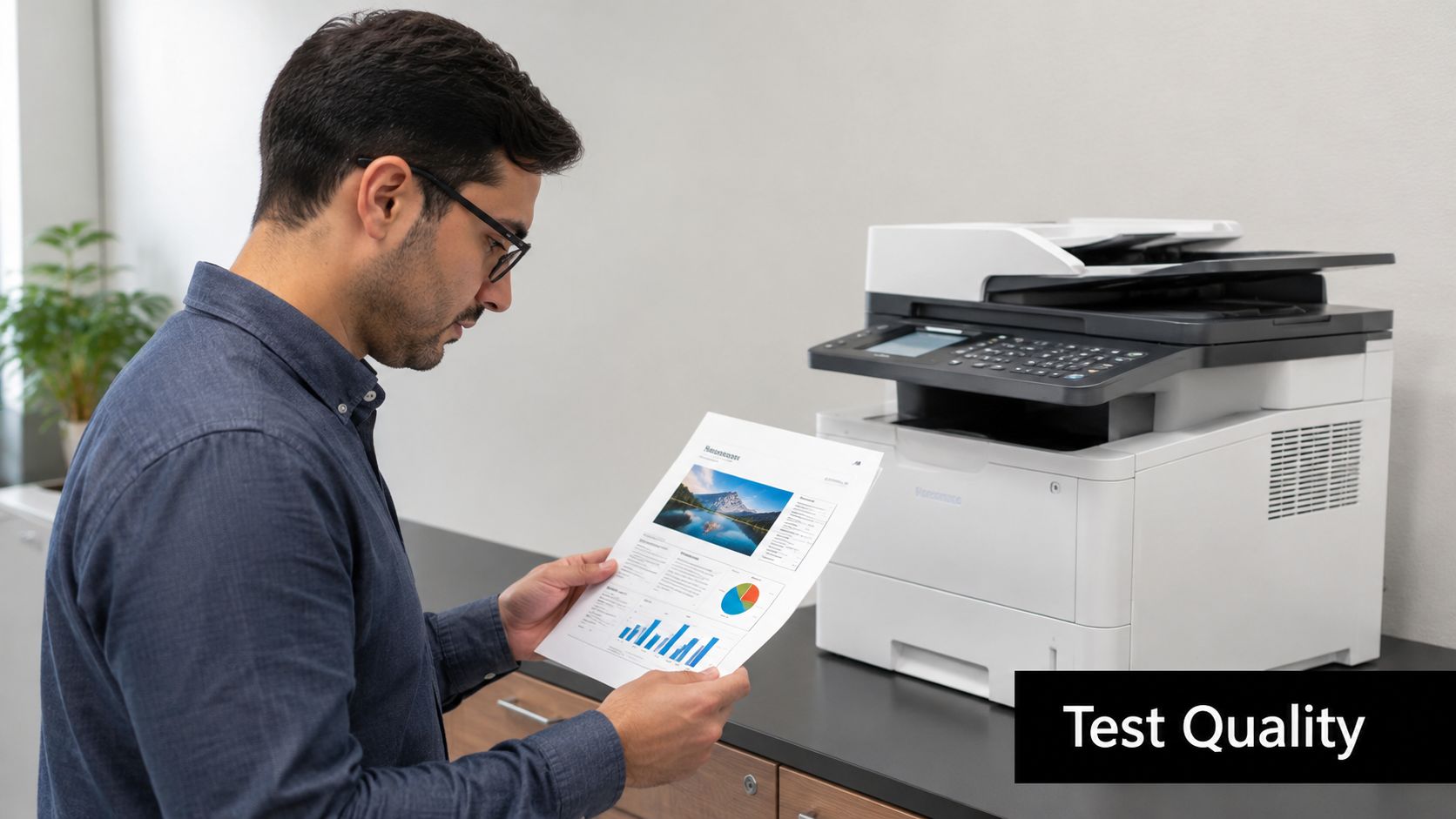
Ask for output on the blanks and materials you sell. Cotton tees, poly blends, hoodies, tote bags, labels, packaging inserts, heavyweight cards. Close is not good enough.
Review four things:
- Color match: Does it match the approved file, not just look bright under showroom lighting?
- Detail: Small text, thin lines, and edge definition should stay clean.
- Consistency: Run the same file twice and compare them side by side.
- Feel and finish: On garments, customers notice hand feel fast. On labels and cards, they notice surface finish, scuffing, and overall polish.
A strong sample set tells you more than a spec sheet will.
Stress test before you trust the output
Fresh prints can fool new buyers. I have seen samples look great off the printer and fail a week later after washing, folding, or normal handling.
Use a short test routine:
- Wash test: Launder garments the way your customers will.
- Stretch test: Pull the fabric and check for cracking, separation, or distortion.
- Rub test: Check for scuffing, color transfer, or weak adhesion.
- Handling test: Fold, stack, bag, press, or ship the item the way your team works.
If a vendor avoids this kind of testing, treat that as useful information.
Test speed inside the full workflow
Speed claims are easy to oversell. In many small shops, moderate print speed is enough because production usually slows down somewhere else. Curing, pressing, artwork approval, pretreatment, packing, and operator availability often matter more than raw pages per minute. Xerox's small business printer guide is a useful reference for judging output needs against actual workload, rather than buying speed you will rarely use: https://www.xerox.com/en-us/small-business/printers-buying-guide
That matters even more for apparel decorators. A faster machine does not help much if transfers are waiting on film prep, shirts are waiting on the heat press, or your team is buried in order changes. Test the printer as one step in the full production chain. Then compare that with outsourcing part or all of the work to a fulfillment service. For a lot of newer brands, that comparison prevents a bad capital purchase.
Validate the software and repeatability
A printer can make a strong sample and still create daily headaches if the software is clumsy or the settings are hard to repeat. During a demo, have the vendor run ordinary jobs, not only their best-looking file.
Check these points:
- File setup: Can your team prepare a standard job without hunting through menus?
- Queue control: Can rush jobs be moved forward without confusion?
- Reprint reliability: Can yesterday's approved order be rerun with the same settings?
- Training time: Can a new employee learn the basics quickly enough to be useful?
If you want a practical benchmark for inspection and repeatability, Cobra DTF has a solid guide on quality control in printing.
A sample earns your trust only after it survives the same handling, washing, and repeat production your customers will expect.
Making the Final Call Vendor Support and Your Growth Plan
At the end of the buying process, the machine itself is only half the decision. The other half is the support behind it and the role it will play as your business changes.
A printer with weak support can cost more than a better-supported machine with a higher price tag. The problem isn't only repair expense. It's the jobs you can't finish while you wait for answers, parts, or a technician who knows the equipment.
Support details that matter
Ask direct questions before you buy:
- Warranty coverage: What parts are covered, and for how long?
- Maintenance access: Can your team handle routine maintenance in-house?
- Training: Is setup training included, and is it useful for real production?
- Parts availability: If something fails, how quickly can you get what you need?
- Escalation path: When the first support person can't solve it, what happens next?
The total cost of ownership for business printers often exceeds the initial purchase price by 2 to 3 times over 3 to 5 years, and maintenance contracts plus warranties help limit unexpected repair expenses, which can account for 15 to 25% of TCO, according to MomNet's guide to choosing the right printer for your business.
That's why support shouldn't be treated as an afterthought. It's part of the machine's real price.
Plan for growth without overcommitting
A lot of new businesses make one of two mistakes. They either buy too little and outgrow it quickly, or buy too much and tie up money they needed for blanks, marketing, payroll, or inventory.
The smarter path is usually more flexible:
- Buy for your steady baseline. Get the machine that handles your normal workload well.
- Outsource overflow. Use a fulfillment partner for spikes, large runs, or specialty jobs.
- Delay niche equipment until demand proves itself. Let customer orders justify the next machine.
- Protect cash. Equipment should support growth, not choke it.
For many shops, that hybrid approach is the most practical one. Handle routine work in-house where it makes sense. Keep outside production available for jobs your equipment can't do efficiently. That gives you control without forcing every order through one machine.
The final decision filter
If you're stuck between two options, choose the one that gives you the clearest yes to these questions:
- Can this setup handle our real monthly workload?
- Do we understand the operating cost, not just the purchase price?
- Have we tested output on our actual materials?
- Will support be there when something goes wrong?
- Does this leave room for the business to grow without locking us into the wrong model?
A printer should make your operation calmer, not more fragile.
If you want to keep production flexible instead of buying every capability upfront, Cobra DTF is one option for outsourcing DTF transfers while you handle pressing, packing, and customer fulfillment in-house. That kind of setup can make sense when you want to test demand, cover overflow, or avoid tying up cash in more equipment before the volume is there.